Occasionally money has to be Added or Withdrawn from the cash drawer without debiting or crediting sales. Ex. You took in a large amount of cash you do not want to keep in the cash draw. You might want to go to the bank and make a deposit (Withdraw Cash/Checks) without having to close for the day. *Note: The preferred method is to use the Deposit Slip option. The add cash option may be used to account for money going into the drawer that is not a sale such as money collected for Ryder or U Haul transactions.
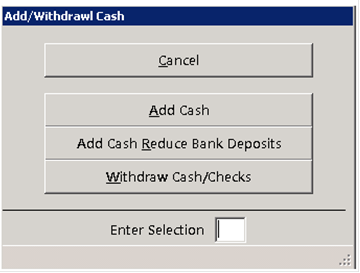
This option is on the Counter System Tools drop down menu. Withdraw cash is password protected so you will be asked to enter a password if this option is selected. Once a valid, invalid or no password has been entered, the following menu will be displayed:
If you did not enter a password or entered an invalid one, you will only be allowed to select Add Cash. If either of the Add Cash options have been selected, you will be asked to enter the amount of the added cash. If you have selected Withdraw Cash/Checks, you will be asked to enter the amount that is being withdrawn. The total added or withdrawn amount will then be displayed. Then you will be returned to the Counter System Main Menu.